
What battery does the Suunto D4i use?
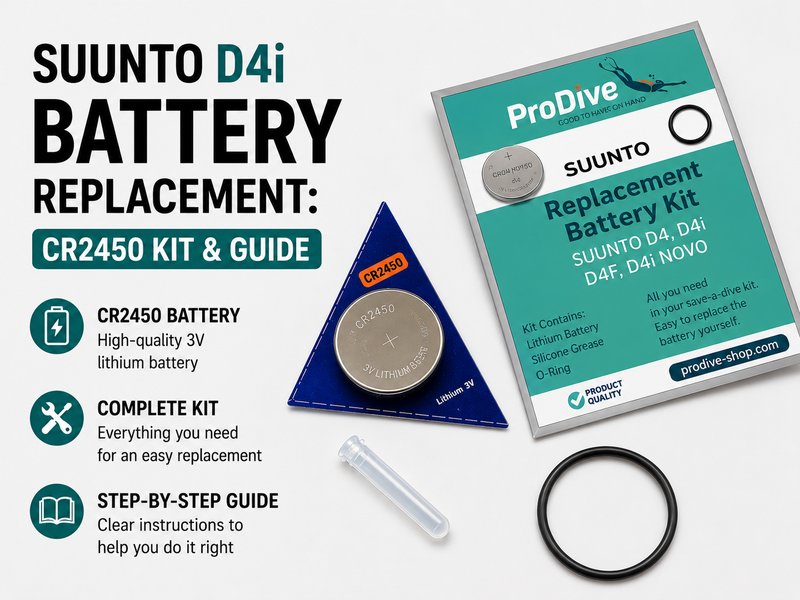
The Suunto D4, D4i and D4i Novo use a CR2450 3V lithium cell. A complete replacement also needs a fresh compartment O-ring and a thin film of silicone grease - fitting the cell on its own leaves the old seal in place and risks a flood.
The Suunto D4i is a popular dive computer known for its reliability and ease of use. However, over time, the battery will need replacement to ensure optimal performance during your dives. This guide will walk you through replacing the battery using a CR2450 kit, ensuring your dive computer is ready for your next adventure.
Why doesn't every CR2450 fit a Suunto D4i?
Two things vary, and neither is on the label. First, the stepped rim - the crimped edge where the metal can is folded over. On some cells it sits a fraction higher, and in a compartment with as little clearance as the D4i's, a higher rim stops the cell seating all the way down. Second, the compartment itself: Suunto built the D-series in two versions. Earlier units have a rubber baffle plate and need a cell whose lower section steps in; later units have a hard plastic baffle and take a standard flat-sided cell. That is why one diver will swear a brand fits perfectly and the next will swear it does not - they own different generations of the same model, and both are right.
The one rule worth remembering: the battery cover must seat flush and screw home without force. If you have to press hard to close it, the cell is not sitting deep enough - stop there. Divers who force it have sheared the battery compartment screw, and a cover that cannot sit flat cannot compress the O-ring, which is the only thing keeping water out at depth.
You do not need to identify your generation before you start, and there is no published way to do so - once the cover is off, the baffle is in plain sight, rubber or hard plastic. Suunto themselves publish no cell designation for the D4i; their official guidance is simply to use an authorised service centre. (You may also see the CR2450N mentioned online: same 24.5 x 5.0 mm size but a stepped can, rated 540 mAh against roughly 600-620 mAh for a standard cell, so it trades run time for clearance.)
What causes trouble is rarely a particular brand and usually the tolerance a maker works to - it is the discount and house brands that give problems, not the established names. That is why our Suunto D4 / D4i battery kit lets you choose the cell: Energizer, Murata or Varta, each supplied in its own manufacturer packaging with the replacement O-ring and silicone grease.
Two things help you pick. Of the three, the Varta has the most pronounced step at the base - the narrowest rim of the set - so it is the one that drops deepest into a tight compartment, and the one we would reach for first on an older unit with the rubber baffle. And if you are matching what Suunto originally fitted, Sony's battery business is now Murata: the Murata CR2450 is the cell many divers still search for as a Sony.
What you need to change a Suunto D4i battery
- CR2450 Battery Kit for Suunto D4i
- Small Phillips screwdriver
- Plastic O-ring removal tool
- Silicone grease
- Soft cloth
How to replace a Suunto D4i battery (7 steps)
Step 1: Prepare Your Work Area
Ensure your work area is clean and free of debris. Lay down a soft cloth to prevent scratches on your dive computer.
Step 2: Remove the Battery Compartment Cover
Using a small Phillips screwdriver, gently unscrew the battery compartment cover located on the back of your Suunto D4i. Keep the screws in a safe place as you will need them later.
Step 3: Remove the Old Battery
Carefully use the plastic O-ring removal tool to lift and remove the old battery. Take care not to damage the O-ring or the compartment.
Step 4: Replace the O-ring
Check the condition of the existing O-ring. If it shows signs of wear or damage, replace it with the new O-ring provided in your battery kit. Apply a thin layer of silicone grease to the O-ring to ensure a proper seal.
Step 5: Insert the New Battery
Place the new CR2450 battery into the compartment, ensuring the positive (+) side is facing up. Make sure it is seated correctly to avoid any connectivity issues.
Step 6: Reassemble the Battery Compartment
Carefully place the cover back onto the battery compartment and secure it with the screws. Do not over-tighten, as this can strip the threads.
Step 7: Test Your Dive Computer
Turn on your Suunto D4i to ensure it powers up correctly. Check all functions to confirm that the battery replacement was successful.
Is it worth replacing the Suunto D4i battery yourself?
Replacing the battery in your Suunto D4i is a straightforward process that can extend the life of your dive computer. Remember to handle the components with care and follow each step closely. For all your scuba diving needs, including replacement battery kits, visit ProDive Shop, where we stock related parts and ship worldwide.
Leave your comment
Note: HTML is not translated!